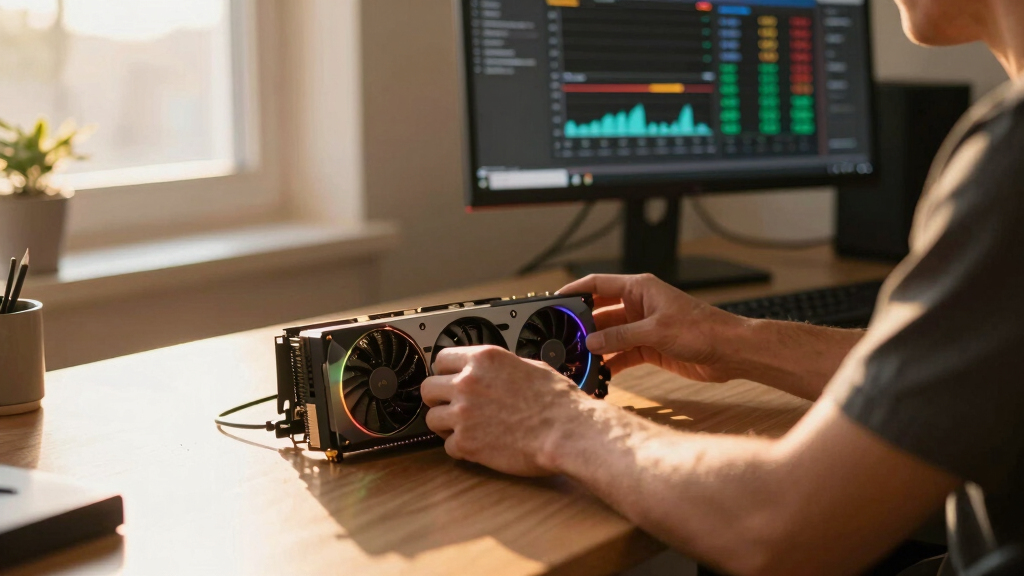

📊 Full opportunity report: Undervolting Your GPU for Local Inference: Lower Heat, Same Tokens/sec on ThorstenMeyerAI.com — validation score, market gap, and execution plan.

Get smart everyday buys delivered free with Prime
- Fast, free delivery on millions of items
- Prime Video, Amazon Music and more included
- Member-only deals all year
TL;DR
Undervolting GPUs by applying power limits can significantly reduce heat and noise during AI inference without sacrificing performance. This approach is easy, reversible, and highly effective for local large language model tasks.
Recent tests confirm that undervolting GPUs through power limiting effectively reduces heat output and noise during local inference tasks, with minimal impact on tokens per second.
Multiple developers and tests have demonstrated that lowering the power limit of high-end GPUs like the NVIDIA RTX 4090 and RTX 5090 can cut power consumption by up to 40-50%, decrease temperatures by 5-10°C, and significantly reduce fan noise. Crucially, performance in tokens/sec during inference remains largely unaffected, typically dropping less than 10%.
This method leverages the fact that most local inference workloads are memory-bandwidth-bound rather than compute-bound, meaning the GPU does not need to run at peak clock speeds to sustain high throughput. Therefore, reducing power and voltage does not substantially impact the core’s ability to process tokens, making undervolting a practical optimization for AI workstations.
Undervolt for inference:
lower heat, same tokens/sec.
Local inference is memory-bound — the GPU core spends much of its time waiting on VRAM, not maxing out compute. So when you cap its power, heat falls fast while throughput barely moves. Drag the slider in Part 2 to see the trade for yourself.
(the real limit)
(often waiting)
you pay for in heat
| Power limit | Power draw | Temp | Speed kept | Efficiency |
|---|---|---|---|---|
| 100% (stock) | 390 W | 72°C | 100% | baseline |
| 80% | 330 W | 70°C | 98.6% | +17% |
| 70%recommended | 300 W | 67°C | 93.4% | +22% |
| 60% | 260 W | 62°C | 91.5% | +37% |
| 55%peak efficiency | 240 W | 60°C | 89.2% | +45% |
| 50% | 220 W | 58°C | 82.6% | +46% |
| 40% (too far) | 180 W | 52°C | 61.3% | falls off |
- One slider, 100% → 70%. The card reduces voltage and clocks on its own.
- Can’t damage anything — you’re restricting the card, not pushing it.
- No stability testing needed.
- Captures most of the available benefit.
- Edit the voltage-frequency curve — hold a clock at lower voltage.
- Target around 0.9–0.95V to start; better chips go lower.
- Keeps more performance for the same heat cut.
- Test under your real workload — a curve stable for 10 min can fail on hour 3.
MSI Afterburner (works on any brand). Headless Linux: nvidia-smi or LACT.sudo nvidia-smi -pl 300.Impact of Power Limiting on AI Inference Efficiency
This development matters because it offers a simple, reversible way to improve the thermal and acoustic profile of AI workstations, especially in office or home environments. Lower heat and noise extend hardware lifespan, reduce cooling costs, and improve user comfort without sacrificing inference performance.
For AI practitioners and hobbyists, this means optimizing existing hardware more effectively, potentially delaying or reducing the need for expensive cooling upgrades or hardware replacements. It also highlights that factory GPU tuning prioritizes maximum benchmark performance, often at the cost of excess heat and power that can be safely curtailed during inference workloads.
NVIDIA RTX 4090 undervolting software
As an affiliate, we earn on qualifying purchases.
As an affiliate, we earn on qualifying purchases.
GPU Factory Tuning and Inference Workloads
Modern GPUs like NVIDIA’s RTX series are factory-tuned for maximum performance, with conservative voltage curves to ensure stability across all units. This results in high power draw and heat, even when full compute capacity is unnecessary, such as during local inference tasks.
Inference workloads are typically memory-bandwidth-bound, meaning the GPU core does not need to operate at its maximum clock to achieve high throughput. This understanding enables safe undervolting and power limiting, which are common in gaming but less explored in AI inference contexts.
"Most local inference workloads are memory-bandwidth-bound, so reducing the GPU’s power limit often has little to no impact on tokens/sec performance."
— Thorsten Meyer, AI tuning expert
As an affiliate, we earn on qualifying purchases.
Uncertainties in Long-Term Stability and Compatibility
While short-term tests show promising results, the long-term stability of undervolted GPUs during extended inference workloads remains to be fully validated. Variations between GPU models and firmware updates could influence results, and some users report occasional instability when aggressively undervolting.
As an affiliate, we earn on qualifying purchases.
Next Steps for GPU Optimization in AI Workstations
Further research is expected to refine undervolting techniques, establish best practices for different GPU models, and explore automation tools for dynamic power management. Hardware manufacturers may also update firmware to better support such optimizations, making this approach more accessible and reliable.
As an affiliate, we earn on qualifying purchases.
Key Questions
Can undervolting damage my GPU?
No, undervolting through power limiting is a reversible process that reduces heat and power without risking damage, as long as parameters are set within safe ranges.
Will undervolting affect gaming performance?
Yes, because gaming is compute-bound, reducing power limits can lower frame rates and responsiveness. This method is primarily suited for inference workloads.
How do I start undervolting my GPU for inference?
Begin with the easy power limiting method using tools like MSI Afterburner to set a lower power cap (e.g., 50-60%). Monitor stability and performance before making further adjustments.
Does undervolting reduce GPU lifespan?
There is no evidence that undervolting shortens GPU lifespan; it may actually extend it by reducing thermal stress.
Is undervolting suitable for all GPUs?
It works best on high-end NVIDIA GPUs like the RTX 4090 and RTX 5090, but results can vary. Always test stability after adjustments.
Source: ThorstenMeyerAI.com
Columbus Day / Indigenous Peoples' Day Picks
long weekend sales
As an affiliate, we earn on qualifying purchases.