🔍 Read the full analysis: Find An E Ink Tablet For Reading And Writing: 8 Options For 2027 on ThorstenMeyerAI.com

Get smart everyday buys delivered free with Prime
- Fast, free delivery on millions of items
- Prime Video, Amazon Music and more included
- Member-only deals all year
TL;DR
A ThorstenMeyerAI.com buyer’s guide compares eight E Ink tablets for reading and writing, focusing on pen performance, displays, portability and software ecosystems. The source names several models, but it does not provide enough information to verify all eight or establish their 2027 availability and specifications.
ThorstenMeyerAI.com’s E Ink tablet guide compares devices for reading and handwriting, emphasizing tradeoffs among screen size, color, pen feel and software flexibility. It identifies the reMarkable Paper Pro as its overall pick and highlights models from BOOX, Amazon and Huion, but the supplied source does not confirm current prices, specifications, or whether all eight options will be available in 2027.
The guide’s named recommendations include the reMarkable Paper Pro for note-taking and document annotation, the BOOX Go Color 7 Gen II for portable color reading, and the Amazon Kindle Scribe Colorsoft for people who want a larger note-taking surface within Amazon’s Kindle ecosystem. It also names a BOOX Note Air6 C, a Huion Ink EB1011 and a monochrome Kindle Scribe. A reMarkable Paper Pure appears in its display discussion. The source material does not clearly identify a complete set of eight distinct products or explain the status of every model. For another roundup of devices in this category, see this E Ink tablet guide.
The guide says it assessed devices using writing performance, display quality and ecosystem flexibility. Its criteria include stylus latency and pressure sensitivity, screen resolution and front lighting, plus file-transfer options and access to third-party apps. These are the guide’s evaluation criteria, not independently documented test results in the material provided.
Its main practical distinction is between closed, streamlined software and Android-based devices that can support more apps and file workflows. The source characterizes reMarkable and Kindle products as more restricted, while describing BOOX devices as more flexible. It also presents color E Ink as useful for visual material such as comics, charts and magazines, while warning that color screens may offer less contrast than monochrome displays.
The 8 picks
- 1
 reMarkable Paper Pro with Marker Plus and Black Leather Book FolioView on Amazon →
- 2
 reMarkable Paper Pro with Marker Plus and Basalt Book FolioView on Amazon →
- 3
 BOOX Note Air6 C 10.3-Inch Color E Ink Tablet, 6GB RAM, 64GB StorageView on Amazon →
- 4
 reMarkable Paper Pure with Marker Plus and Ocean Blue Sleeve FolioView on Amazon →
- 5
 Amazon Kindle Scribe (64GB) with Premium Pen – TungstenView on Amazon →
- 6
 Kindle Scribe Colorsoft 64GB (Newest Model) – 11" Color Display with Premium PenView on Amazon →
- 7
 Huion Ink EB1011 10.3-Inch E Ink Tablet with Dual Front LightView on Amazon →
- 8
 BOOX Go Color 7 Gen II 7-Inch E Ink TabletView on Amazon →
Choosing Between Portability and Workspace
The comparison concerns device size and software as well as screen technology. Smaller readers are more portable, while larger tablets provide more space for handwritten notes and complex documents. Devices with broader app support may accommodate more workflows, while focused reading-and-writing systems may offer fewer software options.
The guide’s recommendations are editorial assessments rather than verified rankings based on documented comparative testing. Buyers can consult manufacturers’ current product pages for availability, supported file types, pen compatibility and software updates, details that may affect a device’s suitability.
Products Worth Considering

Apple MacBook Air (2023) 15.3‑inch Liquid Retina, M2, 16 GB Unified Memory, 256 GB SSD, 1080p FaceTime HD Camera, Touch ID – Midnight

Samsung Odyssey G3 G30D 27-Inch FHD Gaming Monitor
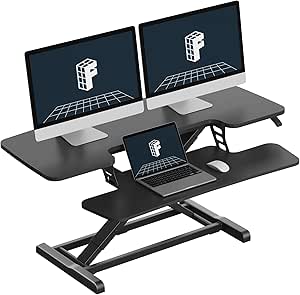
FLEXISPOT 42-Inch Height-Adjustable Standing Desk Converter with Keyboard Tray, Black
As an affiliate, we earn on qualifying purchases.
The Guide’s Main Buying Tradeoffs
The source frames the category around three choices: monochrome or color, compact or large, and closed or open software. It says monochrome screens are suited to text and conventional notes, while color may help readers working with charts and illustrated material. It describes roughly 7-inch devices as more travel-friendly and screens of 10 inches or more as better suited to detailed PDF review. These are general comparisons reported by the guide, not a guarantee that every device in those size classes performs alike.
Pen experience is another factor in the guide’s framework. It favors dedicated styluses and tactile screen surfaces for handwriting, and contrasts those with generic capacitive styluses. The supplied material does not include standardized latency figures, battery test results or a full methodology with reproducible measurements, so readers cannot use it to make precise performance comparisons.
“The reMarkable Paper Pro stands out as the best overall pick for its seamless integration of note-taking and document annotation.”
— ThorstenMeyerAI.com guide
Product Details Need Verification
The source does not provide a publication date, product prices, links to manufacturer specifications, or confirmation that each named device is shipping or will remain available in 2027. It also does not clearly enumerate eight distinct options: the excerpt names several models, but does not contain a complete, consistently identified list. Some product names and descriptions may require confirmation against current manufacturer information.
Claims about battery life, writing latency, screen quality and ecosystem limits are presented as guide conclusions, without test measurements or supporting manufacturer statements in the supplied material. It is also unclear how the products were scored, whether they were tested under the same conditions, or whether prices and software versions were considered.
Check Listings Before Buying
Readers should compare current manufacturer specifications and retailer listings before choosing a device, particularly if they need a specific pen, app, file format or screen size. For a 2027 purchase, availability and software support should be checked close to the buying date, since the guide’s supplied material does not establish future stock or update commitments.
A fuller comparison would need to identify all eight devices and provide current prices, verified specifications and consistent test results. Until then, the guide is most useful as a summary of the tradeoffs buyers should investigate, not as a definitive 2027 product ranking.
Key Questions
Which tablet does the guide rank highest?
The guide names the reMarkable Paper Pro as its overall pick, citing note-taking and document annotation. That is the publisher’s assessment, and the supplied material does not include enough test data to verify it independently.
Is a color E Ink tablet better for reading?
It depends on what you read. The guide says color can help with comics, charts and illustrated documents, while monochrome displays may provide stronger contrast for text-heavy reading. The source does not provide comparable display measurements for the named devices.
Which screen size is suited to PDF annotation?
The guide describes tablets around 10 inches or larger as more suitable for detailed PDF review, while smaller devices are easier to carry. Actual suitability will depend on the document layout and the model’s screen and software.
Are all eight options confirmed for 2027?
No. The supplied material does not verify 2027 availability, and it does not clearly list eight distinct models. Check current manufacturer or retailer information before relying on the guide’s lineup.
Source: ThorstenMeyerAI.com