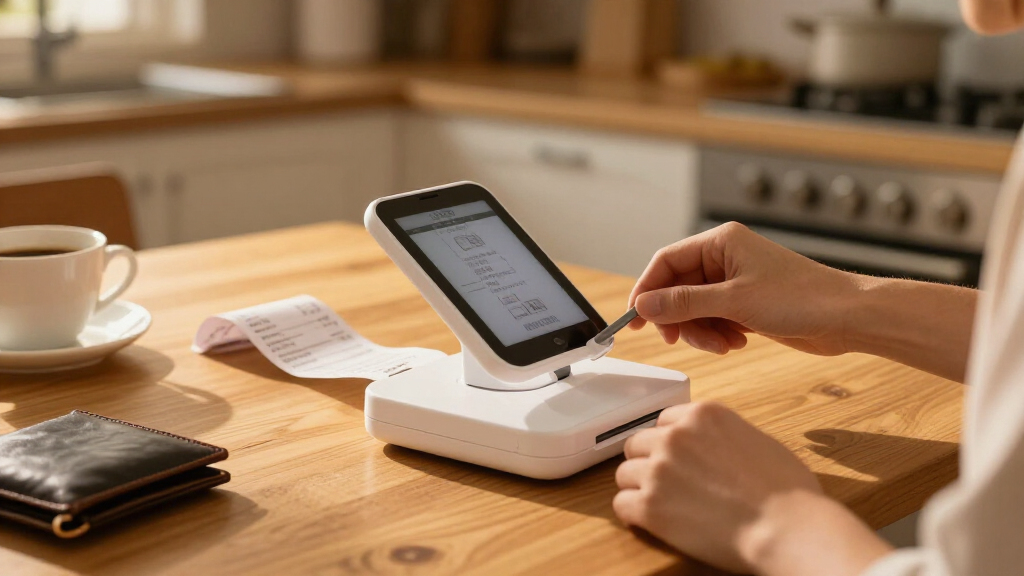

Portable photo scanners for receipts come in two very different shapes: compact sheet-fed machines that pull receipts through automatically, and handheld wand scanners you drag across paper yourself. The ScanSnap iX1300 stands out as the best overall pick because it combines an upright fold-flat design, duplex scanning, and wireless use without needing a computer. The Epson RapidReceipt RR-60 is the stronger choice if receipts are your entire workload, thanks to receipt-specific software that extracts totals and tax data, while the MUNBYN 900 DPI handhelds win on price and sheer portability at the cost of manual effort. The main tradeoff you’ll face in this category is speed and automation versus size and budget: sheet-fed scanners cost more and need a power source, while wand scanners fit in a bag and run on batteries but require a steady hand. Keep reading for the full breakdown of all 13 models and which one fits your receipt workflow.

Get smart everyday buys delivered free — and shop member deals
- Fast, free delivery on millions of items
- Access to Prime Big Deal Days deals on October 6–7
- Prime Video, Amazon Music and more included
Key Takeaways
- Sheet-fed models like the ScanSnap iX1300, iX2500 Receipt Edition, and Canon R10 dominated the top spots because receipts are narrow, crumpled, and hard to feed — powered rollers handle them far better than a handheld wand.
- The two MUNBYN handheld scanners and the generic 900 DPI wands are nearly identical on paper; the differences come down to body color, bundled software, and accessories, so choosing between them is about price and support rather than performance.
- The Epson RapidReceipt RR-60 and ScanSnap iX2500 Receipt Edition are the only models with receipt-specific data extraction, which matters if you file expense reports or taxes rather than just archiving images.
- Single-pass duplex scanning (iX1300, iX2500, Canon R10, Xerox D35) matters less for receipts than for documents, since receipts are usually single-sided — paying extra for duplex is only worthwhile if you scan mixed paperwork.
- Battery-powered handhelds are the only options that truly work away from any power source, making them the fallback choice for field work, while USB-powered sheet-fed units like the Brother DS-640 and Epson ES-50 hit the middle ground for laptop-based mobile use.
| ScanSnap iX1300 Wireless or USB Duplex Color Document Scanner, Black |  | Best Overall | Model: ScanSnap iX1300 | Color: Black | Connectivity: USB, Wi-Fi | VIEW LATEST PRICE | See Our Full Breakdown |
| Epson RapidReceipt RR-60 Compact Mobile Document Scanner |  | Best for Receipt-Specific Organization | Power: USB-powered | Weight: Under 10 oz | Scanning speed: Up to 10 ppm (Automatic Feeding Mode) | VIEW LATEST PRICE | See Our Full Breakdown |
| ScanSnap iX2500 Receipt Edition Wireless/USB High-Speed Scanner, Black |  | Best Premium for Accounting Workflows | Color: Black | Scanning speed: Up to 45 double-sided pages per minute | Document feeder capacity: 100 sheets | VIEW LATEST PRICE | See Our Full Breakdown |
| MUNBYN Portable Handheld Scanner, 900 DPI, A4, 16GB SD Card, Silver |  | Best Value Wand | Scan resolution: 900 DPI | Scan size: A4 | Storage: 16GB SD card included | VIEW LATEST PRICE | See Our Full Breakdown |
| MUNBYN Portable Handheld Scanner, 900 DPI, A4 Size, 16GB SD Card, Black |  | Best for Fragile and Old Documents | Resolution: 900 DPI | Max scan size: A4 | Storage: 16GB SD card | VIEW LATEST PRICE | See Our Full Breakdown |
| Canon imageFORMULA R10 Portable Document Scanner |  | Best Overall for Receipt Batches | Model: imageFORMULA R10 | Connectivity: USB powered | Scanning Speed: 12 pages per minute duplex | VIEW LATEST PRICE | See Our Full Breakdown |
| Portable A4 Color Document and Photo Scanner, 900 DPI, JPEG/PDF, 16 GB SD Card |  | Best for No-Computer Scanning | Scanner Type: Portable handheld | Maximum Resolution: 900 dpi | Resolution Modes: 300, 600, 900 dpi | VIEW LATEST PRICE | See Our Full Breakdown |
| Epson WorkForce ES-50 Compact Mobile Document Scanner |  | Best for Speed and Simplicity | Scanner Type: Portable single-sheet-fed document scanner | Scan Speed: As fast as 5.5 seconds per page | Maximum Document Size: 8.5 x 72 in | VIEW LATEST PRICE | See Our Full Breakdown |
| Plustek Mobile Scanner S410 Plus – Portable Sheet-Fed Document Scanner |  | Best Lightweight Workflow Scanner | Model: S410 Plus | Power Source: USB bus powered | Weight: Less than 1 lb | VIEW LATEST PRICE | See Our Full Breakdown |
| Portable Handheld A4 Document and Photo Scanner, Up to 900 DPI, JPEG/PDF, Includes 16 GB MicroSD Card |  | Best Budget-Friendly Handheld | Scan Resolutions: 300, 600, or 900 DPI | File Formats: JPEG, PDF | Included Storage: 16 GB MicroSD card | VIEW LATEST PRICE | See Our Full Breakdown |
| Xerox Visioneer D35 USB Document Scanner |  | Best for High-Volume Receipt Backlogs | Scanner type: Document and ID card, duplex | Scanning speed: Up to 45 ppm / 90 ipm | Resolution: Up to 300 dpi | VIEW LATEST PRICE | See Our Full Breakdown |
| HPPS100 Portable USB Document and Photo Scanner |  | Best Cross-Platform Pick | Scanning type: Single-sided sheetfed | Scan speed: Up to 15 pages per minute | Optical resolution: Up to 1200 dpi | VIEW LATEST PRICE | See Our Full Breakdown |
| Brother DS-640 Compact Mobile Document Scanner |  | Best Mobile Scanner for Laptop Workflows | Scanning speed: Up to 16 ppm | Weight: Approximately 1.5 lbs | Length: Less than 1 foot | VIEW LATEST PRICE | See Our Full Breakdown |
| portable photo scanners for receipt | Connectivity |
|---|---|
| ScanSnap iX1300 Wireless or US | USB, Wi-Fi |
| Epson RapidReceipt RR-60 Compa | — |
| ScanSnap iX2500 Receipt Editio | Wi-Fi and USB-C |
| MUNBYN Portable Handheld Scann | — |
| MUNBYN Portable Handheld Scann | USB |
| Canon imageFORMULA R10 Portabl | USB powered |
| Portable A4 Color Document and | USB 2.0 |
| Epson WorkForce ES-50 Compact | USB 2.0 |
| Plustek Mobile Scanner S410 Pl | — |
| Portable Handheld A4 Document | USB |
| Xerox Visioneer D35 USB Docume | — |
| HPPS100 Portable USB Document | — |
| Brother DS-640 Compact Mobile | — |
More Details on Our Top Picks
ScanSnap iX1300 Wireless or USB Duplex Color Document Scanner, Black
The ScanSnap iX1300 earns the top spot because it solves the two biggest receipt-scanning frustrations at once: speed and cleanup. At 30 pages per minute duplex, it processes a shoebox of crumpled receipts far faster than the Epson RapidReceipt RR-60, and its automatic de-skew, color optimization, and blank page removal mean you rarely touch up a scan afterward. Compared with the handheld MUNBYN wands in this roundup, there’s no technique involved — feed the paper and walk away. The tradeoff is portability: it needs a flat surface and a power-adjacent setup, so it’s a desk companion rather than a bag staple. Wi-Fi plus USB connectivity and broad cloud support round out a package that just costs more upfront than simpler alternatives.
Pros:- Fast duplex scanning at up to 30 pages per minute handles large receipt batches
- Automatic de-skew, color optimization, and blank page removal cut down manual cleanup
- Handles thick items, plastic cards, and photos beyond standard paper
- USB and Wi-Fi connectivity with support for computers, mobile devices, and cloud services
Cons:- Requires a flat, stable surface rather than true handheld portability
- Higher price point than basic handheld wand scanners
Best for: Home-office users and small-business owners processing high volumes of receipts who want automatic image correction and wireless scanning
Not ideal for: Buyers who need a truly pocketable scanner for on-the-road receipt capture — the iX1300 is compact but not handheld
- Model:ScanSnap iX1300
- Color:Black
- Connectivity:USB, Wi-Fi
- Scanning:Duplex color, up to 30 ppm
- Supported media:Documents, photos, cards, thick items, plastic cards
- Compatible devices:Mac, PC, mobile devices, Chromebook
- Software:ScanSnap Home
Our verdict“If you process receipts in batches at a desk and want the least manual effort per scan, this is the one to buy.”
Epson RapidReceipt RR-60 Compact Mobile Document Scanner
Where most scanners in this lineup just produce images, the Epson RapidReceipt RR-60 thinks like an accountant. Its AI-assisted organization and automatic file naming sort receipts from invoices and documents without you renaming a single file, and the software exports data to financial applications — something the MUNBYN handhelds can’t approach without third-party OCR. At under 10 ounces and USB-powered, it’s genuinely bag-friendly, though its 10 ppm speed is a third of what the ScanSnap iX1300 manages, so batch days take patience. The standout receipt trick: it handles pages up to 8.5 × 72 inches, which covers those absurdly long grocery-store tape receipts that jam lesser feeders.
Pros:- AI-assisted organization with automatic file naming saves sorting time
- Handles extra-long receipts up to 72 inches without jamming
- Under 10 oz and USB-powered for true mobile use
- Creates searchable, editable PDFs
Cons:- Requires a USB connection for power, so no standalone battery operation
- Financial software integration limited to supported applications
- Slower scanning speed than larger desktop units
Best for: Freelancers and small-business owners doing expense tracking who want scans automatically categorized, named, and exportable to financial software
Not ideal for: High-volume batch scanning — 10 ppm is slow compared to the ScanSnap iX1300’s 30 ppm
- Power:USB-powered
- Weight:Under 10 oz
- Scanning speed:Up to 10 ppm (Automatic Feeding Mode)
- Maximum page length:72 inches
- Maximum page width:8.5 inches
- Compatible platforms:Windows and Mac
- Supported document types:Receipts, invoices, documents, business cards, ID cards, long pages
- Cloud services:OneDrive, Dropbox, Google Drive
Our verdict“This pick makes the most sense for expense-tracking workflows where organized, searchable receipt files matter more than raw speed.”
ScanSnap iX2500 Receipt Edition Wireless/USB High-Speed Scanner, Black
The ScanSnap iX2500 Receipt Edition is the heavy hitter of this batch — 45 double-sided pages per minute with a 100-sheet feeder makes even the iX1300 look casual, and it’s built for stacking a year’s worth of receipts and walking away. Its defining feature is QuickBooks data extraction: the scanner pulls amounts, vendors, and dates from receipts for review, going a step beyond the Epson RR-60’s file organization. Compared with everything else here, it’s also the only one with a touchscreen for standalone, computer-free operation. The honest tradeoff: extracted data still needs human review, and the desk-bound footprint plus premium price mean mobile scanners like the RR-60 remain the better travel choice.
Pros:- QuickBooks integration extracts receipt and invoice data for accounting
- Blazing 45 double-sided pages per minute with a 100-sheet feeder
- Touchscreen enables standalone operation without a computer
- Multi-feed and skew detection help prevent jams on mixed receipt stacks
Cons:- Extracted receipt data requires review and editing before it’s reliable
- Desk-bound size and premium price far exceed mobile alternatives
Best for: Bookkeepers and small businesses with serious receipt volume who want QuickBooks integration and unattended batch scanning
Not ideal for: Travel-heavy users or casual scanners — it’s bulky, expensive, and overbuilt for occasional receipt capture
- Color:Black
- Scanning speed:Up to 45 double-sided pages per minute
- Document feeder capacity:100 sheets
- Connectivity:Wi-Fi and USB-C
- Features:Touchscreen, OCR, QuickBooks integration, multi-feed and skew detection
Our verdict“For accounting-driven offices that live in QuickBooks and process receipts by the hundreds, nothing else in this lineup matches its throughput and integration.”
MUNBYN Portable Handheld Scanner, 900 DPI, A4, 16GB SD Card, Silver
At roughly half the weight of a paperback, the MUNBYN silver handheld scanner is the cheapest credible path to digitizing receipts. Scans land directly on the included 16GB SD card at up to 900 DPI — plenty for expense receipts — and the driver-free USB transfer works across Mac, Windows, and Linux, a broader compatibility spread than the Epson RR-60’s Windows-and-Mac support. The catch is fundamental to wand design: you are the paper feed. Unlike the sheet-fed ScanSnap iX1300, an uneven hand speed produces streaks or distortion, so expect a practice curve. You’ll also need to supply your own AA batteries, and there’s no OCR in the box, so receipts come out as images, not searchable text.
Pros:- Extremely light at 0.44 lbs with genuine pocket portability
- 16GB SD card included stores thousands of receipt scans
- Driver-free USB transfer works with Mac, Windows, and Linux
- 900 DPI resolution captures fine receipt print clearly
Cons:- Handheld technique takes practice — inconsistent speed causes distortion
- AA batteries not included
- No OCR software included, so scans aren’t searchable
Best for: Budget-conscious students and travelers who want occasional receipt and document capture without buying batteries-included gear or software subscriptions
Not ideal for: Anyone needing searchable PDFs or batch scanning — no bundled OCR and one-pass-at-a-time scanning make it inefficient for volume
- Scan resolution:900 DPI
- Scan size:A4
- Storage:16GB SD card included
- Weight:0.44 lbs
- Length:10 inches
- Power source:2 AA alkaline batteries (not included)
- Transfer method:USB cable
- Compatible systems:Mac, Windows 7/8/10/XP, Linux
Our verdict“If your receipt volume is light and your budget is lighter, this wand delivers the core job for minimal cash outlay.”
MUNBYN Portable Handheld Scanner, 900 DPI, A4 Size, 16GB SD Card, Black
This black MUNBYN wand shares the silver version’s 900 DPI resolution and included 16GB SD card, but its wand-style contact design makes it the gentler choice when the paper itself is the concern. Aging thermal receipts, brittle old invoices, and delicate book pages survive a slow hand-pass where a sheet-fed scanner like the ScanSnap iX1300 or Epson RR-60 might crumple or jam them in the rollers — feed scanners pull paper mechanically, and fragile stock doesn’t always cooperate. The driver-free USB connection keeps transfers simple, and at 0.66 lbs it still slips into a laptop bag. Be realistic about the downsides: batteries aren’t included, OCR must be sourced separately, and the same hand-speed learning curve applies to every wand scanner.
Pros:- Contact wand design is gentle on fragile, old, or delicate paper
- 900 DPI resolution produces clear digital copies
- Driver-free USB connection simplifies file transfer
- Lightweight 0.66 lb build with included 16GB storage
Cons:- Learning curve to master consistent handheld scanning speed
- OCR software not included and must be sourced separately
- Batteries not included
Best for: Archivists and anyone digitizing old, fragile, or irreplaceable receipts and documents that rollers could damage
Not ideal for: Users scanning crisp modern receipts in volume — a sheet-fed scanner does that job faster and with less technique
- Resolution:900 DPI
- Max scan size:A4
- Storage:16GB SD card
- Weight:0.66 lbs
- Length:9.5 inches
- Power source:2 AA batteries (not included)
- Connectivity:USB
- Color:Black
Our verdict“Choose this over the silver MUNBYN when your receipts are old or delicate enough that a feed scanner poses real risk to the paper.”
Canon imageFORMULA R10 Portable Document Scanner
Among the sheet-fed options here, this model stands out for balancing speed, automation, and portability better than anything else in the lineup. The 20-sheet automatic document feeder means you can drop a stack of crumpled receipts and walk away — something the Epson WorkForce ES-50, which feeds one sheet at a time, simply cannot match. Duplex scanning at 12 pages per minute is fast for a scanner this size, and it handles business cards and plastic cards alongside receipts. The tradeoff is real, though: the 500-scan daily volume limit makes this a poor fit for high-throughput offices, and unlike the handheld picks, it is not designed for photo paper at all. Compared with the Plustek S410 Plus, it works on both Windows and Mac and skips software installation entirely.
Pros:- 20-sheet automatic document feeder handles receipt batches hands-free
- Duplex scanning at 12 pages per minute is fast for this class
- No software installation required thanks to built-in software
- Handles receipts, business cards, and plastic ID cards
Cons:- Daily volume capped at 500 scans, far below enterprise-grade machines
- Not designed for scanning photographs on photo paper
Best for: Frequent travelers and small-business owners who need to batch-scan stacks of receipts without feeding them one at a time
Not ideal for: High-volume offices processing thousands of receipts daily, or anyone scanning glossy photo prints
- Model:imageFORMULA R10
- Connectivity:USB powered
- Scanning Speed:12 pages per minute duplex
- Feeder Capacity:20 sheets
- Daily Volume:500 scans
- Compatibility:Windows and Mac
- Output Formats:Searchable PDF, JPEG
- Power Consumption:2.5W (0.7W energy saving mode)
Our verdict“If you accumulate piles of receipts on the road and want to scan them in one pass rather than one at a time, this is the strongest all-around choice in the lineup.”
Portable A4 Color Document and Photo Scanner, 900 DPI, JPEG/PDF, 16 GB SD Card
This handheld takes a completely different approach from the Canon imageFORMULA R10: instead of feeding paper through a mechanism, you glide the scanner across the page yourself, with everything saved straight to the included 16 GB microSD card. That makes it the most computer-independent option in this batch — no laptop, no drivers, no USB tether required at the point of capture. For receipt capture at a market stall or in a client’s office, that freedom matters more than speed. The catch is technique: smooth, steady hand motion determines scan quality, and a jerky pass produces skewed or blurred receipts. It also needs two AA batteries that are not in the box, unlike the USB-powered Epson ES-50, which draws power from its cable.
Pros:- Scans directly to included 16 GB microSD card with no computer needed
- Three selectable resolutions up to 900 dpi
- Saves as JPEG or PDF for flexible filing
- No software installation required
Cons:- AA batteries are not included
- Scan quality depends on how smoothly you glide the device by hand
Best for: Travelers, field workers, and market vendors who need to capture receipts without carrying a laptop
Not ideal for: Anyone batch-digitizing large stacks of receipts, since each page must be scanned manually by hand
- Scanner Type:Portable handheld
- Maximum Resolution:900 dpi
- Resolution Modes:300, 600, 900 dpi
- File Formats:JPEG, PDF
- Included Storage:16 GB microSD (expandable to 32 GB)
- Power:2 AA batteries (not included)
- Connectivity:USB 2.0
- Dimensions:2 x 2 x 4 inches
Our verdict“This pick makes the most sense for people who need to capture receipts on the spot with nothing but the scanner in a pocket.”
Epson WorkForce ES-50 Compact Mobile Document Scanner
Where the handheld options demand a steady hand and patience, the ES-50 turns receipt capture into a five-and-a-half-second-per-page operation: feed the receipt, and it pulls itself through. Bundled OCR and cloud-upload software means scanned receipts become searchable PDFs and editable files without buying anything extra — an advantage over the Plustek S410 Plus, which restricts its OCR workflow to Windows only. The obvious limitation compared with the Canon R10 is the single-sheet feed: there is no automatic document feeder, so a shoebox of receipts means standing there feeding each one. It also requires a USB connection to a computer at all times, so it is less standalone than the microSD-based handhelds in this roundup. For moderate volumes of crisp receipts and ID cards, though, the speed and software polish are hard to beat.
Pros:- Scans a page in as little as 5.5 seconds
- Includes OCR, searchable PDF, and cloud storage software
- Handles documents, receipts, and ID cards
- USB-powered with no batteries or external adapter
Cons:- Feeds only one sheet at a time with no batching
- Cannot operate without a USB connection to a computer
Best for: Mobile professionals who want fast, single-receipt scanning with polished OCR and cloud workflow on Windows or Mac
Not ideal for: Anyone with large stacks of receipts to digitize at once, since there is no automatic document feeder
- Scanner Type:Portable single-sheet-fed document scanner
- Scan Speed:As fast as 5.5 seconds per page
- Maximum Document Size:8.5 x 72 in
- Connectivity:USB 2.0
- Power:USB-powered, no batteries
- Compatibility:Windows and Mac
- Software:Epson ScanSmart, Nuance OCR, TWAIN driver
- Supported Media:Documents, receipts, ID cards
Our verdict“This model is better suited to someone who scans receipts one at a time and wants each captured, OCR’d, and filed in seconds.”
Plustek Mobile Scanner S410 Plus – Portable Sheet-Fed Document Scanner
Weighing in at under one pound and drawing all its power over USB, the S410 Plus competes directly with the Epson WorkForce ES-50 but leans harder into automation. Its button-free scanning processes pages and routes them to designated folders, FTP servers, or shared network drives without manual intervention — a genuine time-saver if receipts need to land in an expense system automatically. Built-in OCR converts scans into searchable PDFs, Excel, or Word files, so a table of receipt totals becomes editable data. The two drawbacks are structural: it is Windows-only, leaving Mac users with the Epson or Canon options instead, and its sheet-fed mechanism is less forgiving of thick or rigid cards than the Canon imageFORMULA R10’s more robust feed path.
Pros:- Weighs less than 1 lb with no external power or batteries needed
- Fully automatic button-free scanning routes files to folders or FTP
- Built-in OCR produces searchable PDF, Excel, and Word output
- Handles receipts, invoices, business cards, and plastic IDs
Cons:- Windows-only compatibility excludes Mac users
- Sheet-fed mechanism may struggle with very thick or rigid cards
Best for: Windows-based remote workers and small teams who want receipts auto-filed to network folders with no button presses
Not ideal for: Mac users, who are locked out entirely, and anyone regularly scanning thick or rigid cards
- Model:S410 Plus
- Power Source:USB bus powered
- Weight:Less than 1 lb
- Supported Sizes:Letter, Legal, Business Cards, Plastic ID Cards, Invoices, Receipts
- OS Compatibility:Windows 7, 8, 10, 11
- Software:Plustek Docaction with OCR
- Save Destinations:Local computer, FTP, shared folder
Our verdict“For Windows users who value hands-off automation over cross-platform flexibility, this is the smartest lightweight pick in the batch.”
Portable Handheld A4 Document and Photo Scanner, Up to 900 DPI, JPEG/PDF, Includes 16 GB MicroSD Card
This scanner overlaps heavily with the Portable A4 Color Scanner earlier in this roundup — same 300/600/900 dpi modes, same microSD storage approach, same battery-powered operation — but it distinguishes itself with broader legacy compatibility, supporting operating systems as old as Windows XP and Mac OS 10.4. If you are pairing a receipt scanner with an aging laptop or an off-grid setup, that flexibility is the differentiator. Like its handheld sibling, it captures receipts without any computer connection and saves JPEG or PDF straight to the included 16 GB card. The same caveats apply, and they are worth repeating: AA batteries are not included, and quality hinges entirely on gliding the device smoothly across each receipt. For batch jobs, the Canon R10’s feeder remains the better tool; for occasional on-the-spot capture on a budget, this does the job.
Pros:- Standalone operation saves directly to included 16 GB MicroSD card
- Three resolution settings up to 900 DPI
- Broad compatibility reaching back to Windows XP and Mac OS 10.4
- No software installation required
Cons:- AA batteries are not included
- Manual hand-scanning requires a smooth, practiced glide for usable results
Best for: Budget-minded buyers who need occasional standalone receipt capture, especially on older computers
Not ideal for: Anyone digitizing receipt stacks in volume or needing guaranteed straight, consistent scans
- Scan Resolutions:300, 600, or 900 DPI
- File Formats:JPEG, PDF
- Included Storage:16 GB MicroSD card
- Maximum Supported Storage:32 GB MicroSD card
- Power:2 AA batteries (not included)
- Connectivity:USB
- Compatible Operating Systems:Windows XP/7/Vista; Mac OS 10.4 or later
Our verdict“Choose this if you want the cheapest possible way to capture receipts on the go without a computer — just budget for batteries and practice your technique.”
Xerox Visioneer D35 USB Document Scanner
When the shoebox of receipts has grown into multiple shoeboxes, this option stands out for sheer throughput. A 50-page automatic feeder and duplex scanning at up to 90 images per minute mean a year’s worth of crumpled receipts can be digitized in a single sitting, something no handheld wand or mobile sheet-fed model in this lineup can match. Compared with the Brother DS-640, which feeds one page at a time, the D35 trades portability for batching power — it weighs over five pounds and needs desk space.
The tradeoffs are real: it’s USB-only with no wireless option, and the dated Windows 7 minimum requirement suggests aging bundled software. It also isn’t truly portable, so it makes the most sense as a fixed home-office workhorse rather than a travel companion.
Pros:- 50-sheet automatic document feeder handles large unattended batches
- Duplex scanning at up to 90 images per minute clears backlogs fast
- Accepts receipts, cards, photos, and mixed media in one feeder
- One-touch scanning with searchable PDF and image enhancement
Cons:- USB-only connection with no wireless or battery-powered operation
- Dated software support starting at Windows 7
- Far too bulky and heavy for travel use
Best for: Freelancers and small-business owners digitizing large receipt and expense backlogs in batch sessions
Not ideal for: Anyone needing on-the-road receipt capture — it’s a 5.1-pound deskbound unit with no battery or wireless mode
- Scanner type:Document and ID card, duplex
- Scanning speed:Up to 45 ppm / 90 ipm
- Resolution:Up to 300 dpi
- ADF capacity:50 sheets
- Daily duty cycle:8,000 pages
- Media types:Paper, receipts, photos, business cards, plastic cards
- Connection:USB
- Weight:5.1 pounds
Our verdict“Buy this if you process receipts in bulk at a desk; skip it if portability matters at all.”
HPPS100 Portable USB Document and Photo Scanner
This model earns its spot by solving a problem most competitors ignore: native macOS and Windows support. The Brother DS-640 also covers both platforms, but the HPPS100 pairs that flexibility with a higher 1200 dpi optical resolution — helpful when receipts have faded thermal print you want to preserve clearly. Its paper handling down to 2 × 2.9 inches accommodates small receipt stubs without taping them to letter-size sheets.
Where it falls short is speed and volume. At 15 ppm and single-sided only, it’s built for small- to medium-batch jobs, so anyone with a receipt mountain should look at the Xerox Visioneer D35 instead. The bundled HP WorkScan software adds auto-scan, size detection, and cropping, which lowers the setup friction for occasional users who don’t want to fight drivers.
Pros:- Works with both Windows and macOS out of the box
- 1200 dpi optical resolution captures faded thermal receipt print clearly
- Handles paper as small as 2 × 2.9 inches for stubby receipts
- HP WorkScan software automates scanning, sizing, and cropping
Cons:- Single-sided scanning means manual flips for two-sided pages
- Only suited to small- and medium-batch jobs
- Slower than similarly priced duplex alternatives
Best for: Mac and Windows households that scan receipts and mixed documents in small, regular batches
Not ideal for: Users with hundreds of two-sided pages to digitize — single-sided scanning at 15 ppm becomes a bottleneck quickly
- Scanning type:Single-sided sheetfed
- Scan speed:Up to 15 pages per minute
- Optical resolution:Up to 1200 dpi
- Paper size range:2 × 2.9 in to 8.5 × 14 in
- Connection:USB 2.0
- Compatibility:Windows and macOS
- Output formats:PDF, JPG, and others
- Included software:HP WorkScan
Our verdict“A sensible choice for mixed-platform users who value scan clarity over raw speed.”
Brother DS-640 Compact Mobile Document Scanner
At roughly 1.5 pounds and under a foot long, this is the pick that genuinely lives in a laptop bag. Unlike the Xerox Visioneer D35, it draws power entirely from its USB 3.0 cable, so receipts can be captured in a car, hotel room, or client office without hunting for an outlet — a real advantage over handheld wands too, since it feeds paper mechanically instead of relying on steady hand-dragging. Scanning targets computers, network locations, cloud services, and email, and OCR support makes receipt text searchable later.
The compromises: it requires a connected PC or laptop, so it can’t operate standalone, and image rotation works only on Windows, which may frustrate Mac users. It also lacks duplex scanning, so the HPPS100 becomes the stronger option for macOS-heavy buyers who prioritize resolution over portability.
Pros:- USB-powered with no outlet required for true mobile use
- Featherweight at roughly 1.5 pounds and under a foot long
- Scans to computers, cloud services, email, and networks
- Includes OCR and image enhancement, with Linux support
Cons:- Cannot operate without a connected PC or laptop
- Image rotation feature is Windows-only
- No duplex or automatic feeder for batch jobs
Best for: Traveling consultants and road-warrior professionals who digitize receipts alongside a laptop
Not ideal for: Standalone-scanning needs — without a connected computer it does nothing, and it can’t batch large stacks
- Scanning speed:Up to 16 ppm
- Weight:Approximately 1.5 lbs
- Length:Less than 1 foot
- Power:Micro USB 3.0 cable
- Supported operating systems:Windows, Mac, Linux
- Driver support:TWAIN/WIA for PC, ICA for Mac, SANE
Our verdict“The best fit for laptop-toting travelers who need receipts captured on the go; desk-bound bulk scanners should look elsewhere.”
How We Picked
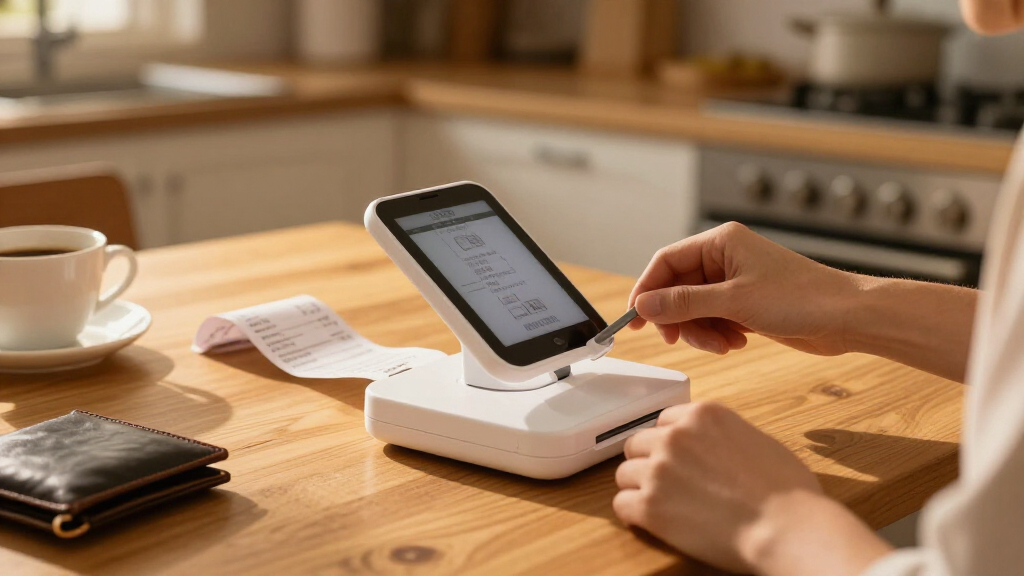
I evaluated every model against the realities of receipt scanning rather than general document scanning. The criteria that mattered most were feed reliability on small, curled paper, since receipts are the worst-case input for any scanner; scan quality at receipt scale, where legibility of faded thermal-printed totals matters more than photo color accuracy; power and connectivity options, including battery operation, USB bus power, and wireless use; and software that actually helps with receipts, meaning OCR that extracts amounts and merchants instead of just producing flat JPEGs. Size and weight were judged against genuine portability — a scanner that needs a wall outlet and a flat desk is a different product category from one that fits in a laptop bag.
Ranking followed a simple hierarchy: machines that reliably automate receipt capture ranked above those that require manual feeding, and models with receipt-aware software ranked above equally capable hardware without it. The handheld wands landed lower not because they’re bad products but because they demand a steady hand, offer no feed mechanism, and can’t match the consistency of powered rollers on crumpled receipts — a real drawback when you’re scanning dozens at once. Within tiers, I differentiated on bundled storage, software polish, and design details that affect daily use.
| portable photo scanners for receipt | Connectivity |
|---|---|
| ScanSnap iX1300 Wireless or US | USB, Wi-Fi |
| Epson RapidReceipt RR-60 Compa | — |
| ScanSnap iX2500 Receipt Editio | Wi-Fi and USB-C |
| MUNBYN Portable Handheld Scann | — |
| MUNBYN Portable Handheld Scann | USB |
| Canon imageFORMULA R10 Portabl | USB powered |
| Portable A4 Color Document and | USB 2.0 |
| Epson WorkForce ES-50 Compact | USB 2.0 |
| Plustek Mobile Scanner S410 Pl | — |
| Portable Handheld A4 Document | USB |
| Xerox Visioneer D35 USB Docume | — |
| HPPS100 Portable USB Document | — |
| Brother DS-640 Compact Mobile | — |
Factors to Consider When Choosing Portable Photo Scanners For Receipts
Before settling on a specific model, it helps to understand the structural choices in this category — because the mistakes buyers make with receipt scanners almost always come from picking the wrong type of machine, not the wrong brand.Sheet-Fed or Handheld: The Decision That Shapes Everything Else
The single biggest choice is between a powered sheet-fed scanner and a battery-operated wand, and it determines your entire experience. Sheet-fed models grab receipts with rollers and pull them through at a consistent speed, which is why the output looks identical whether it’s your first scan or your fiftieth. Handheld wands require you to drag the unit across the paper yourself, and any hesitation, tilt, or lift mid-scan produces streaks, distortion, or a truncated image — a common frustration when receipts are longer than a single pass. The honest tradeoff is that wands cost less, weigh less, and work with zero cables, while sheet-fed units demand USB power or a battery but deliver repeatability. If you scan more than a handful of receipts per week, the automation pays for itself in frustration alone. Buyers who choose a wand purely on price and then scan in bulk are the most likely to regret the purchase.
OCR and Receipt Extraction: What ‘Scanning’ Actually Means
Every scanner here produces an image file, but not every scanner reads what’s in that image. Generic portable scanners output JPEGs or PDFs with no text layer, which means someone still has to type merchant names and totals into a spreadsheet by hand. Models with receipt-specific software — the Epson RapidReceipt line and the ScanSnap Receipt Edition — extract amounts, dates, vendors, and tax fields automatically, turning a scan into usable expense data. This distinction is where much of the price difference between models actually goes, and it’s invisible in a spec sheet. A common mistake is buying on resolution figures alone (like 900 DPI) and only later discovering that no software in the box can read the receipts. If you file expense reports or claim deductions, budget for extraction software; if you just need archival copies, a plain image scanner is enough.
Handling Crumpled, Curled, and Faded Receipts
Receipts are uniquely hostile scanner input: thermal paper fades over months, store receipts arrive curled from a pocket, and gas station pumps print on glossy stock that resists flat feeding. Feed mechanisms matter here more than resolution — a straight-through paper path with gentle rollers handles curls better than a tight bend, and multiple-feed attempts are normal. Thermal fading is a scanning urgency issue, not a hardware one: the ink on a six-month-old thermal receipt may already be too faint for any scanner to recover, which is why scanning promptly beats buying a higher-DPI model. Buyers also underestimate how much small paper size matters; machines designed for full documents sometimes misfeed narrow receipt strips, whereas compact mobile units often feed them more reliably. Faded originals scan best at higher DPI settings with contrast adjustment in software, so a model with adjustable settings outperforms one locked to defaults.
Power, Connectivity, and Where You Actually Scan
Think honestly about where your receipts pile up. If you scan at a desk, USB bus power from a laptop is the cleanest setup — one cable, no charger, as with the Brother DS-640 or Epson ES-50. If you scan in a car, at client sites, or while traveling, you either need a battery-powered wand or a wireless-capable unit like the iX1300 that can operate untethered. Wi-Fi scanning to a phone changes the workflow entirely, letting receipts go straight into cloud expense apps without opening a laptop. A frequent misstep is assuming ‘portable’ means ‘cordless’ — several compact models still require a wired connection, which matters if your scanning happens far from a computer. Match the power model to your real routine, not the one you imagine having.
Speed, Duty Cycle, and Volume Realities
Manufacturer speed ratings are measured on pristine letter-size paper, not receipts, and real-world receipt throughput is much slower than the box suggests because you feed items one at a time or in small stacks. What matters more than pages-per-minute is how the machine handles batch feeding and whether it can keep up without jams. If you reconcile expenses monthly and face a shoebox of 200 receipts, a fast sheet-fed unit with a document tray is a quality-of-life upgrade; the handheld wands become genuinely tedious at that volume. Conversely, someone scanning three receipts a day gains nothing from a high-speed model. Volume should also drive storage thinking: wand scanners write to SD cards, which means an extra transfer step that sheet-fed units with direct-to-computer or cloud workflows skip entirely.
Total Cost Beyond the Sticker
The purchase price is only part of the equation. Sheet-fed scanners need periodic roller and pad replacement after thousands of feeds, which is a modest but real ongoing cost wand scanners avoid entirely. Software is the bigger variable: some vendors bundle full receipt-extraction suites forever, while others push subscriptions for advanced features — check what’s included before assuming OCR is free. Bundled accessories like 16GB SD cards and card readers add convenience value on the wand side, but they’re cheap items, so don’t let them sway a decision between fundamentally different machine types. Warranty and driver support matter for a device you’ll keep for years; scanners from the established brands (Epson, Brother, Canon, Fujitsu, Xerox) tend to get long-term driver updates, while generic imports can lag behind OS updates. Buying from a major brand is partly buying software longevity.
Frequently Asked Questions
Can a handheld wand scanner really handle crumpled receipts, or do I need a sheet-fed model?
A handheld wand can capture crumpled receipts, but you’ll need to flatten them by hand first, and the results depend heavily on your technique. Wands require a smooth, constant-speed pass across the paper; any wobble or lift produces visible distortion, and curved receipts create exactly the conditions that cause wobble. Sheet-fed scanners solve this with rollers that grip and flatten the paper mechanically, which is why they’re more consistent on difficult receipts. If you scan fewer than ten receipts a week and can press them flat under a book beforehand, a wand works fine. Beyond that volume, or if your receipts tend to arrive curled, the sheet-fed models will save you a lot of rescanning.
Is 900 DPI overkill for receipts?
For most thermal-printed receipts, 300 DPI is already legible, and 600 DPI captures fine detail like small tax lines. 900 DPI — the headline figure on the handheld wands in this lineup — is useful mainly for very small print or faded receipts where you want maximum room to enhance contrast later. The tradeoff is file size and scan speed: higher settings produce large JPEGs that eat through SD card space and slow down your workflow when you process dozens of receipts. A better approach than chasing DPI is scanning promptly, because thermal ink fades within months and no resolution recovers ink that’s already gone. Treat high DPI as a recovery tool for problem receipts, not your everyday setting.
Do these scanners automatically extract receipt totals for expense reports?
Only some of them do, and this is the biggest functional divide in the roundup. The Epson RapidReceipt RR-60 and the ScanSnap iX2500 Receipt Edition ship with receipt-recognition software that identifies merchant, date, and total, and can export structured data for accounting tools. The general-purpose document scanners — like the Brother DS-640, Canon R10, or Epson ES-50 — typically include basic OCR that can read text but isn’t tuned to parse receipt layouts, so you may still manually organize the output. The handheld wands generally capture images only, with no text recognition in the box at all, though third-party expense apps can sometimes fill the gap. If you file expense reports regularly, choosing a model with native receipt extraction saves hours of manual data entry every month.
Can I scan receipts directly to my phone without a computer?
Yes, but only with models that support wireless operation. The ScanSnap iX1300 can scan over Wi-Fi to a mobile app, sending receipts straight to cloud services without a laptop in the loop — one of the main reasons it ranks at the top of this comparison. Most USB-powered mobile scanners, including the Epson ES-50 and Brother DS-640, require a connected computer to function, so check connectivity specs carefully if phone-only workflow is your goal. The handheld wands work standalone in a different sense: they store scans on an SD card, but you still need to transfer files to another device to view and organize them. If your receipts originate away from a desk — deliveries, travel, client sites — wireless scanning or an SD-card workflow beats tethering to a laptop.
Which type lasts longer and needs less maintenance for years of receipt scanning?
Sheet-fed scanners are mechanical devices, and their rollers and separation pads wear out after several thousand feeds — most brands sell inexpensive replacement kits, and swapping them takes minutes. This sounds like a downside, but it also means the machine is serviceable rather than disposable, and brands like Epson, Fujitsu, Brother, and Canon provide driver updates for many years. Handheld wands have almost no moving parts to fail, which favors longevity, but the generic imports often lack long-term software support, so an OS update can orphan a perfectly functional device. Build quality also tracks with brand: the metal-and-plastic bodies of the established brands tolerate travel bag abuse better than lightweight wands. For a multi-year purchase, the brand-name sheet-fed units are the safer bet despite the maintenance schedule.
Conclusion
For most buyers, the ScanSnap iX1300 is the best overall choice: it folds flat for travel, scans duplex, works wirelessly or over USB, and handles small curled receipts more reliably than anything else in this lineup. If value is the priority, the MUNBYN 900 DPI handheld scanners deliver functional receipt capture at the lowest entry cost — just accept the manual technique and SD-card workflow. The premium pick is the ScanSnap iX2500 Receipt Edition, whose dedicated receipt software and document tray justify the spend for anyone managing serious expense volume. For beginners who want the simplest possible path from paper to file, the Epson ES-50 offers plug-in-and-scan simplicity with minimal settings to learn. If your need is receipt-specific data extraction on a mobile budget, the Epson RapidReceipt RR-60 is built for exactly that job. And for a middle-ground traveler who wants powered rollers without wireless frills, the Brother DS-640 and Canon R10 both earn their places. Match the machine to your real scanning volume and location, and the right choice becomes obvious.
Fall Picks
fall essentials
As an affiliate, we earn on qualifying purchases.