📊 Full opportunity report: Mac vs GPU Tower for Local LLMs: The Heat-and-Noise Tradeoff on ThorstenMeyerAI.com — validation score, market gap, and execution plan.

Get smart everyday buys delivered free with Prime
- Fast, free delivery on millions of items
- Prime Video, Amazon Music and more included
- Member-only deals all year
TL;DR
This article compares Mac Studio with Apple Silicon and GPU towers for running local large language models. The key difference lies in heat, noise, memory capacity, and throughput, impacting choice based on model size and workload.
Apple Silicon machines like the Mac Studio offer near-silent operation and low power consumption, while GPU towers deliver higher raw throughput at the cost of significant heat and noise. This comparison highlights the fundamental tradeoffs shaping choices for local large language model deployment.
The core distinction between Mac Silicon and GPU towers is in how they optimize for memory capacity versus bandwidth. GPU towers, with high memory bandwidth (up to 1,792 GB/s on RTX 5090), excel at running models that fit within their VRAM (24–32GB per GPU), delivering faster inference speeds. However, they generate substantial heat—up to 800W or more—and require complex thermal management to keep noise manageable. In contrast, Apple Silicon chips like the M3 Ultra unify memory up to 512GB, allowing large models (70B+ parameters) to run on-device, albeit at slower speeds. These chips operate quietly and with minimal heat, making them ideal for continuous, low-maintenance operation.The tradeoff is primarily between raw throughput and operational simplicity. GPU towers are suited for latency-sensitive tasks and models that fit in VRAM, offering native CUDA ecosystems and upgradeability. Mac machines are better for large models that exceed GPU VRAM limits, prioritizing silent, power-efficient operation over maximum speed. The choice depends on whether the workload benefits more from speed or from quiet, sustained operation.
Mac vs GPU tower
for local LLMs.
What if you sidestep the heat entirely with a different kind of machine? A tower is a high-bandwidth furnace you spend five levers quieting. Apple Silicon is near-silent by design — but asks for different tradeoffs. Match your priority in Part 2.
Put the loud, hot machine where its noise doesn’t matter, and the quiet one where you do. SSH into the tower when you need raw power; let the Mac handle everything else, silently.
Impact of Heat and Noise on Local AI Hardware Choices
This comparison underscores a fundamental decision point for AI practitioners: whether to prioritize maximum inference speed with high heat and noise, or to opt for silent, energy-efficient operation capable of handling larger models. For users running models that fit within GPU VRAM, towers remain the best choice for performance. Conversely, those working with larger models or seeking a low-maintenance, always-on device will find Apple Silicon solutions more suitable, changing how local AI deployment is approached.As an affiliate, we earn on qualifying purchases.
Key Architectural Differences Between Mac and GPU Towers
The debate over Mac versus GPU towers for local large language models hinges on their architectural design. GPU towers leverage high memory bandwidth for fast inference on smaller models, with NVIDIA's CUDA ecosystem supporting fine-tuning and training. They typically draw 575W to over 800W, producing significant heat and requiring active thermal management. Apple Silicon, with its unified memory architecture, offers massive capacity (up to 512GB) and operates at low power levels, resulting in near-silent operation. This makes Macs ideal for models that exceed GPU VRAM but do not require maximum inference speed. The tradeoffs reflect different priorities in model size, speed, noise, and power consumption."Our chips are designed for low power and silent operation, making them ideal for continuous AI inference on large models that don't need maximum throughput."
— Apple Silicon engineer
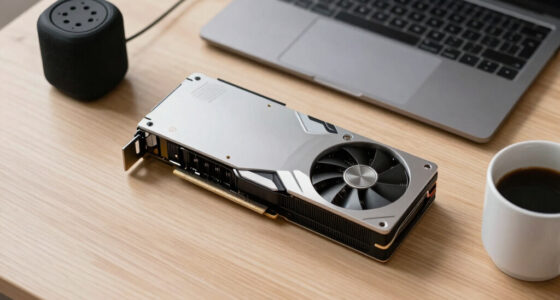
High performance GPU tower for AI workloads
As an affiliate, we earn on qualifying purchases.
As an affiliate, we earn on qualifying purchases.
Uncertainties in Performance and Scalability
It is not yet clear how much future improvements in Apple's MLX ecosystem will close the performance gap with CUDA-based GPU solutions, especially for fine-tuning and training workflows. Additionally, the long-term upgradeability of Mac hardware remains limited, and real-world thermal performance can vary based on case design and cooling solutions.
NVIDIA RTX 5090 GPU for machine learning
As an affiliate, we earn on qualifying purchases.
As an affiliate, we earn on qualifying purchases.
Upcoming Developments in AI Hardware Compatibility
Future updates may include increased unified memory capacities and improved inference speeds on Apple Silicon, narrowing the gap with GPU towers for certain workloads. Meanwhile, GPU hardware will continue to evolve with higher bandwidth and better thermal solutions, maintaining their dominance in high-throughput scenarios. Users should monitor these trends to determine the best hardware choice for their specific model sizes and workloads.
Large memory capacity desktop for local LLMs
As an affiliate, we earn on qualifying purchases.
As an affiliate, we earn on qualifying purchases.
Key Questions
Can a Mac Studio run large language models as effectively as a GPU tower?
It can run larger models than a single GPU can fit, thanks to its high unified memory capacity, but typically at slower inference speeds. For models within GPU VRAM, GPU towers offer faster performance.
Is noise a significant concern with GPU towers?
Yes, GPU towers generate substantial heat, requiring active cooling and fans, which produce noise. Achieving quiet operation demands careful thermal management.
Will future Apple Silicon updates improve inference performance?
Potential improvements in the MLX ecosystem and increased memory capacities could enhance performance, but current designs prioritize low power and silence over maximum throughput.
What are the main factors to consider when choosing between these options?
Model size, inference speed requirements, noise tolerance, power consumption, and upgradeability are key considerations. GPU towers excel in speed for smaller models, while Macs are better for large, always-on models requiring silence.
Can I upgrade a Mac to handle larger models in the future?
No, Mac hardware is fixed at purchase, with no options for GPU or memory upgrades. Planning for capacity needs at the outset is essential.
Source: ThorstenMeyerAI.com
Halloween Picks
halloween
As an affiliate, we earn on qualifying purchases.