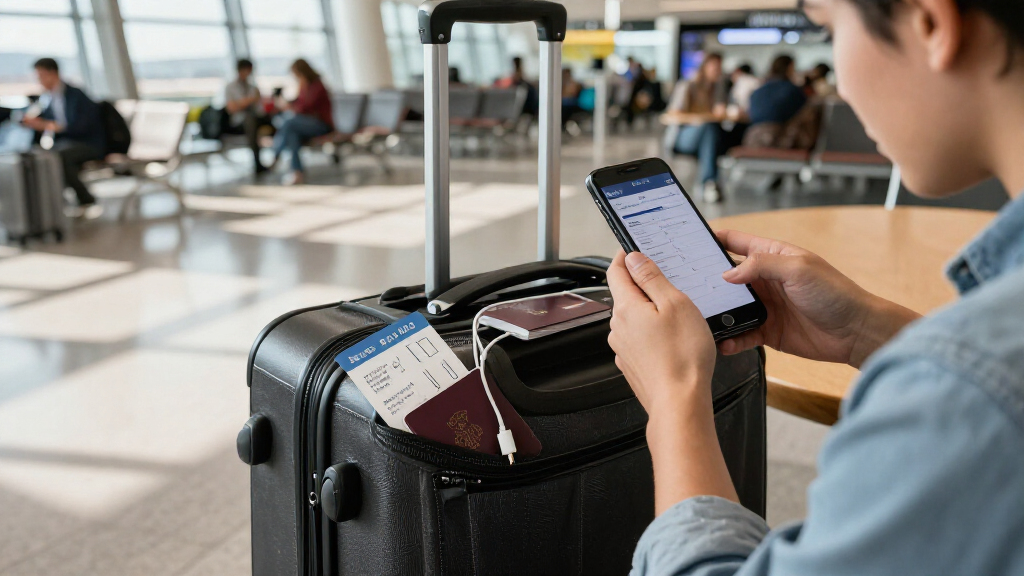
This checklist is for investors and business travelers who carry documents, devices, or account information on the road. A little preparation can help you keep essentials organized and reduce the chance of exposing sensitive information while traveling.

Get smart everyday buys delivered free with Prime
- Fast, free delivery on millions of items
- Prime Video, Amazon Music and more included
- Member-only deals all year
The sections cover document storage, passport organization, screen privacy, encrypted file storage, laptop security, and backup power. Each product pick is paired with practical considerations, while the laptop cable lock section offers advice without naming a product.
Use the checklist to match each item to your trip and the equipment you already own. Check dimensions, connection types, and carrying needs before choosing, and avoid bringing gear that does not fit your setup.
Portable Document Safe
A document safe gives important papers a designated place when you are away from home. The SentrySafe HD4100 Fireproof and Waterproof Document Safe with Key Lock is the listed pick for this slot. Before choosing a safe, consider what documents you actually need to carry and whether the container’s size and weight suit your luggage and destination.
A common mistake is assuming that a safe will fit every travel plan simply because it is portable. Check its exterior dimensions against your suitcase or storage space, and make sure the documents you want to protect fit inside without excessive folding. Consider how you will keep track of the key during the trip; a key lock is only useful if the key remains accessible to you and separate from the container. Think through where the safe will stay while you are out and whether its form factor works with your accommodation and packing habits. Keep only the papers you need for the trip together, and store other sensitive records securely at home. Match the safe to your document load and travel routine, rather than packing it by default.
What to look for:
- Check the safe’s dimensions against your luggage and storage space.
- Confirm your travel documents fit without unwanted folding.
- Plan where to keep the key so it stays accessible and separate.
- Consider the container’s weight alongside the rest of your packed gear.
- Carry only the records you need for the trip.
SentrySafe HD4100 Fireproof and Waterproof Document Safe with Key Lock

The SentrySafe HD4100 is a portable document safe designed to help protect important papers from fire and water exposure. Its interior fits hanging file folders and includes straps for organizing smaller items, while a key lock helps secure the lid.
Pros:
- Designed for fire and water protection
- Fits hanging file folders for document organization
- Includes straps for securing smaller items
- Portable design with two keys included
Cons:
- Uses a key lock rather than a combination lock
- Provides protection for up to 30 minutes under high temperatures
Best for: Travelers carrying important paper records
Not ideal for: Anyone who needs a very compact document pouch
Bottom line: Choose a safe that fits your documents, luggage, and key-management routine.
RFID Blocking Wallet
A travel wallet keeps a passport and related essentials together so they are easier to find when moving between check-in, transit, and your destination. The listed pick is the Bellroy Travel Folio Leather Passport Wallet – Navy. Before buying, consider whether its layout and dimensions work with the documents and cards you plan to carry.
A frequent mistake is choosing a wallet based on its name without checking whether it accommodates your passport and the cards you use. Review the product’s stated dimensions and compartments, then compare them with your passport and usual travel documents. Think about how the folio will fit in your day bag or personal item, and whether you can access what you need without removing everything. Keep a deliberate system for separating essential identification from other cards, and avoid carrying extra financial or personal records without a reason. The product name includes “RFID Blocking,” but the name alone does not establish how it works with every card or travel document; check the product details for the coverage and use information that matters to you. Prioritize easy access and a comfortable fit for the way you move through a trip.
What to look for:
- Compare the stated dimensions with your passport and cards.
- Check the compartment layout for the documents you intend to carry.
- Consider how the folio fits in your day bag or personal item.
- Review the product details for RFID coverage and use information.
- Carry only the cards and records you need while traveling.
Bellroy Travel Folio Leather Passport Wallet – Navy

This zip-around leather travel folio organizes up to two passports, cards, cash, boarding passes, receipts, a spare SIM, and the included Micro Pen. It features RFID shielding, multiple pockets, and a back slip pocket for quick access to travel documents; the eco-tanned leather develops a patina with use.
Pros:
- Organizes passports, cards, cash, and travel documents in multiple pockets
- RFID shielding helps protect personal data
- Includes a Micro Pen and storage for a spare SIM
- Compact design with a quick-access back slip pocket
Cons:
- Larger-format passports may not fit in the designated sleeve
- Leather requires dry-cloth cleaning
Best for: Travelers who want passport and card organization
Not ideal for: Anyone who prefers carrying only a slim card sleeve
Bottom line: Check the folio’s fit and layout against your passport, cards, and bag.
Privacy Screen Protector
A privacy screen filter can be part of a travel setup for working on a laptop or monitor in shared spaces. The listed pick is the Mamol 2-Pack 24-Inch 16:9 Computer Monitor Privacy Screen Filters. Its stated size and aspect ratio are key compatibility details, so begin by checking whether your display is a 24-inch, 16:9 monitor.
A common buying mistake is matching only the diagonal measurement. Confirm the display’s aspect ratio and the filter’s dimensions, and check how the product attaches to the specific screen. If you travel with a laptop, verify that the filter is intended for that display size and that its attachment method is practical to remove, carry, and reinstall. A monitor filter may be a poor fit for a smaller or differently shaped portable display. Consider where you will work, how often the screen will be shared with others, and whether you can position your display so its contents are not plainly visible from nearby seats. Read the product details for any viewing-angle or installation guidance instead of assuming all privacy filters behave the same way. A correct physical fit and workable attachment matter as much as the privacy use case.
What to look for:
- Verify the display is 24 inches with a 16:9 aspect ratio.
- Compare the filter dimensions with the screen’s visible area.
- Check that the attachment method suits your display.
- For laptop use, confirm the filter fits and can be carried conveniently.
- Review installation and viewing-angle details before buying.
Mamol 2-Pack 24-Inch 16:9 Computer Monitor Privacy Screen Filters

This two-pack of privacy filters is designed for 24-inch widescreen monitors with a 16:9 aspect ratio and measures approximately 20.93 × 11.81 inches. Microlouver technology limits side-angle visibility, while the reversible glossy and matte surfaces offer clarity or glare reduction; the filters also block UV rays and suppress blue light.
Pros:
- Microlouver design restricts side-angle viewing for added screen privacy.
- Reversible glossy and matte sides provide options for clarity or reduced glare.
- Washable, reusable surface is designed to resist scratches and fingerprints.
- Includes two installation methods and accessories.
Cons:
- Slide-mount tabs require a monitor with a raised bezel.
- Compatibility depends on matching the filter dimensions to the monitor screen.
Best for: Travelers using a compatible 24-inch monitor
Not ideal for: Anyone working only from a smaller laptop screen
Bottom line: Confirm the screen size, aspect ratio, and attachment method before choosing.
Encrypted USB Drive
An encrypted portable drive can keep selected files together when you need access to them away from your main computer. The listed pick is the Apricorn Aegis Padlock 2TB Hardware-Encrypted Portable External Hard. The product name indicates a 2TB capacity and hardware encryption; check the full product listing for complete model details and connection information before purchase.
A common mistake is treating capacity or encryption as a substitute for a travel-ready workflow. Decide which files you need on the trip, confirm they fit within the available storage, and check that the drive connects to the devices you will actually carry. Review the product’s instructions for setting up and using its security features, and make sure you know how you will access the drive when away from home. Keep a separate, secure backup of important files rather than relying on one portable device. Consider the drive’s physical dimensions and the way it will be stored in your bag; a device you can find and handle easily is more practical than one that gets buried among cables. Finally, test your setup with your own devices before departure so that compatibility and access are not surprises during travel.
What to look for:
- Confirm the full model name and included connection details.
- Check compatibility with the computers and ports you will carry.
- Estimate the storage needed for the files you plan to bring.
- Review setup and access instructions for the security features.
- Keep a separate secure backup of important files.
Apricorn Aegis Padlock 2TB Hardware-Encrypted Portable External Hard Drive

This portable 2TB drive uses 256-bit AES XTS hardware encryption and an integrated keypad for PIN-based access. It connects over USB 3.0, requires no software or administrator rights, and supports up to five user PINs plus an administrator PIN.
Pros:
- Hardware encryption with keypad-based PIN access
- Works without software installation or administrator rights
- Compatible with PC, Mac, and USB-enabled operating systems
- Rugged design with epoxy coating and brute-force self-destruct feature
Cons:
- Uses a rotating 5400 rpm hard drive
- Requires PIN entry through the integrated keypad
Best for: Travelers who need selected files on the road
Not ideal for: Anyone whose devices lack a compatible connection
Bottom line: Verify the full model, device compatibility, and backup plan before traveling.
Laptop Cable Lock
A cable lock can help secure a laptop to a fixed point when you need to step away from a workspace. Since no product is specified for this slot, start with the laptop itself: check whether it has a built-in lock slot and identify the slot type in the manufacturer’s documentation. Compatibility comes first; a lock that does not match the laptop cannot serve its intended purpose.
A common mistake is buying a lock without checking how it attaches or whether there is a suitable anchor where you work. Confirm the lock’s compatibility with your laptop, then consider cable length and how you will route it around a stable, appropriate fixture. Think about whether the lock is easy to carry and use at the desks, libraries, or shared workspaces you expect to visit. Do not assume that a cable makes a device impossible to remove or replaces keeping it in sight. Use it as one part of a practical routine: take the laptop with you when feasible, secure it when stepping away, and avoid leaving sensitive information open on screen. If the computer lacks a matching lock slot, check the manufacturer’s guidance for compatible alternatives. Choose based on your device and usual workspace, with convenient, correct attachment as the priority.
What to look for:
- Identify the laptop’s lock-slot type in its documentation.
- Confirm the lock is compatible with that slot or device.
- Check cable length and the way it attaches to an anchor.
- Consider whether it is practical to carry and use at your usual workspaces.
- Keep the laptop in sight when possible and secure sensitive information.
Portable Power Bank
A portable power source can help support devices during travel when access to an outlet is limited. The listed pick is the Jackery Explorer 300 Portable Power Station, 292Wh. Consider which devices you expect to charge and confirm the station’s ports and output match their requirements.
A common mistake is choosing a power source by its capacity label alone. Check the product details for available output connections and compare them with the cables and charging requirements of your laptop, phone, or other equipment. Think about how often you will need power, how long you will be away from an outlet, and whether the station’s size and weight fit your travel plans. Also check the airline and carrier rules that apply to the specific product and route before packing it; requirements can depend on the device and how you travel. Plan where you will store and recharge the unit between outings, and bring only the cables that match your devices. If you expect to rely on it for work, try your charging setup at home first. A useful choice aligns capacity, connections, and portability with your actual itinerary.
What to look for:
- Match the output connections to the devices you plan to charge.
- Check device charging requirements and bring compatible cables.
- Consider the station’s size and weight for your itinerary.
- Review carrier rules for the specific product and route.
- Try the charging setup before departure.
Jackery Explorer 300 Portable Power Station, 292Wh

This compact portable power station has a 292Wh LiFePO4 battery and a 300W rated output, with ports for charging up to six devices. It weighs about 7.1–7.5 lbs and can be recharged using compatible Jackery solar panels; the solar panel is sold separately.
Pros:
- LiFePO4 battery is described as providing over 4,000 charge cycles before reaching 70% capacity.
- Multiple output options include AC, USB-C, USB-A, and a car port.
- Compact design with an integrated handle for carrying.
Cons:
- Solar panels are sold separately.
- The listed weight and dimensions differ between sections of the product data.
Best for: Travelers bringing devices that match its outputs
Not ideal for: Anyone prioritizing the lightest possible travel kit
Bottom line: Check connections, charging needs, and travel rules before packing the power station.
Build your checklist in the order that addresses your biggest needs: first identify the documents and files you must carry, then confirm secure storage and device compatibility, and finally add privacy and backup power items that fit your work routine. Check dimensions, ports, and travel requirements before you pack.
You do not need every item for every trip. Choose the pieces that suit your documents, devices, and itinerary, and test your setup before leaving. A clear plan for what you carry and where you keep it can make travel feel more organized.