
TL;DR
Investment tracking apps bring holdings from one or more accounts into a single view, where you can review balances, allocation, performance, and income. Before linking accounts, check which institutions the app supports, how it calculates returns, how it handles your data, and whether you can export your records. A tracker organizes information; it does not guarantee better investment decisions or provide personalized advice.
Your retirement fund sits at one provider, your index funds at another, and a few shares in a third account. Each login shows a slice of your finances; investment tracking apps can bring those slices into one screen. That view can save time and make it easier to spot where your money is invested.

Get smart everyday buys delivered free with Prime
- Fast, free delivery on millions of items
- Prime Video, Amazon Music and more included
- Member-only deals all year
These apps may show balances, holdings, performance, allocation, dividends, and fees. Some also include budgeting or net-worth tools. Features vary, though, and a neat chart does not always tell you how the app calculated its numbers. A return figure can shift depending on how the service handles deposits, withdrawals, dividends, taxes, or changes in currency.
In this guide, you’ll learn what trackers do, how they differ from trading apps and advisers, and what to check before you connect an account. You’ll also see where manual entries can help and why you should compare important figures with your statements. Think of a tracker as a labeled map of your investments: useful for seeing the terrain, but not a promise about where the road leads. This article is educational and is not financial, tax, or legal advice.
Investment tracking apps can combine holdings from multiple institutions, but support varies by provider, account type, and country.
A performance figure can differ from your broker’s because the services may handle deposits, dividends, fees, taxes, and currency changes differently.
Check connection permissions, privacy practices, costs, export options, and account deletion controls before linking financial data.
Manual entries can cover unsupported assets, though they may be less current and can rely on estimates.
A tracker organizes information; it does not guarantee better investment outcomes or turn a portfolio display into personalized advice.
See what an investment tracking app can bring into one view
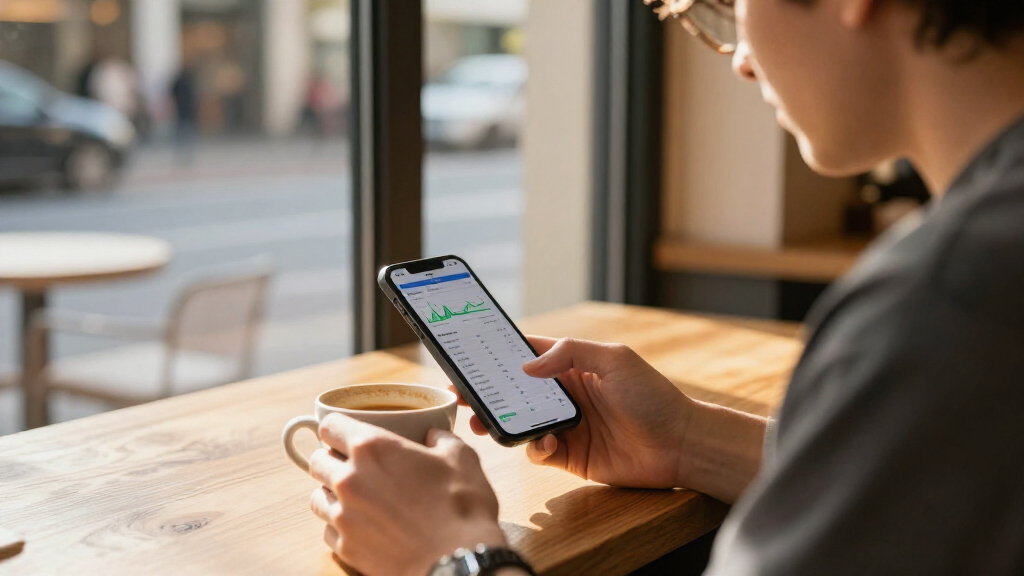
An investment tracking app gathers investment information from accounts you hold at different institutions and presents it in one dashboard. Depending on the service, you may see balances, holdings, performance, asset allocation, dividends, fees, or estimated income. Coverage varies by app, provider, account type, and country.
Imagine you have a workplace retirement plan, a brokerage account, and a small portfolio of funds at a bank. Without a tracker, you might open three tabs and copy the figures into a spreadsheet. A connected app may give you one view of those accounts, while a service with manual entry may let you record an investment that it cannot connect to directly.
That overview can make patterns easier to spot. For example, an account-by-account view might make each holding look modest, while a combined chart reveals that a large share of your portfolio sits in the same sector. The chart does not tell you what action to take. It gives you a clearer starting point for questions to research or discuss with a qualified professional.
Some products also include budgets, retirement projections, research, tax reports, or trade execution. Those extras are not part of every tracker. Check whether you want a simple portfolio display or a broader financial dashboard, and read what each feature actually does before relying on it.
Products Worth Considering

Dell UltraSharp U3225QE 31.5-Inch 4K UHD 120Hz IPS Black Thunderbolt Hub Monitor

Logitech MX Keys S Combo Wireless Keyboard and Mouse, Graphite

Apple Mac mini Desktop Computer with M6 Chip (2026)
As an affiliate, we earn on qualifying purchases.
Separate tracking from trading and financial advice
An investment tracker organizes information about your holdings; a brokerage app supports account activity such as buying or selling, and an adviser may offer guidance based on your circumstances. One product can combine several of these services, so check its features before assuming a portfolio screen is advice.
For instance, you might use a tracker to notice that your account balance changed after a market drop. The tracker can display a chart or a list of holdings, but that display alone does not explain whether a particular investment suits your goals, time horizon, or financial situation. A trading feature adds a different choice: you may be able to place an order from the same app that shows your portfolio.
That convenience can blur the line between looking and acting. A bright button next to a performance chart can make a quick trade feel like the natural next step, even though a short-term move may not fit your plan. Pay attention to whether an app earns revenue from subscriptions, referrals, or brokerage activity, and read its disclosures to understand possible incentives.
Tracking is not a guarantee of better results. A dashboard can make information easier to find, but it cannot remove market risk or replace your judgment. If a feature labels itself as advice or planning, check what service it provides, who provides it, and what limits apply in your location.
Compare returns without being fooled by a tidy chart
An app’s performance figure depends on how it treats cash flows and other details, so two services can show different returns for the same portfolio. Before comparing a tracker with a broker statement or market benchmark, find out whether the calculation includes deposits, withdrawals, dividends, fees, taxes, and currency changes.
Suppose your account starts at $10,000 and you add $2,000 during the year. The account value may rise to $12,500, but the $2,500 increase includes your deposit; it does not mean your investments earned $2,500. If one display treats the deposit differently from another, their headline performance figures may not match.
Dividends can also affect the comparison. One chart might count distributions as part of total return, while another may show only the change in share prices. Currency conversion adds another wrinkle when your holdings or account are denominated in different currencies. A figure can appear to move because the exchange rate changed, even when the underlying investment price changed little.
When a return surprises you, open the app’s explanation or help page and check the method and time period. Compare like with like: the same dates, account scope, currency, and return type. Treat the app’s graph as a useful summary, then check important numbers against your statements. Historical returns describe past results; they do not guarantee future performance.
Use this checklist to compare investment tracking apps
The best fit depends on whether an app supports your accounts and location, explains its data connections, and gives you enough control over costs and records. Compare the details before you connect anything; a polished demo cannot tell you whether your particular retirement provider will sync reliably.
- Check coverage. Look up your institutions, account types, and currencies. See whether the app allows manual entries for unsupported assets.
- Understand connections. Find out what permissions the app requests, whether access is read-only, and how you can revoke it.
- Read the return method. Look for details on cash flows, dividends, fees, taxes, and currency conversions.
- Review the cost and business model. Check subscription limits, paid features, referral arrangements, and other revenue sources.
- Test your exit options. See whether you can export your data, close your account, and request deletion.
- Read security and privacy details. Check authentication options, data retention, sharing, and how the provider describes protecting information.
For example, a beginner who only wants to see two fund accounts may value a simple overview and a clear export button more than advanced research tools. Someone with accounts at several institutions may care most about connection reliability and support for each provider. Your short list should reflect your actual needs, rather than the number of features on a product page.
Know what you trade for a one-screen portfolio
Linked accounts can save time, but connecting them means sharing financial data with another service; manual entry gives you more control and demands more upkeep. The right method depends on your comfort with data sharing, the app’s connection options, and how frequently you need updated balances.
Account connections may use different methods, and availability and reliability vary by institution and country. Read the provider’s explanation before linking: what information it retrieves, what permissions it requests, how it stores or shares data, and how to disconnect. If the app asks for credentials or access you do not understand, pause and look for details from the app and your financial institution.
Manual entry can work well for a handful of long-term holdings or assets that an app cannot sync. Picture entering your fund balance once a month: it takes a few minutes, but the figure may be out of date between updates. A home or private investment might also require an estimate rather than a live market price, so label the value and date clearly.
Some apps add cryptocurrency, property, or private investments to a portfolio view. That can make the dashboard feel more complete, but values may rely on manual estimates or limited data. Check how the app marks these entries, and do not mistake a tidy total for a precise, up-to-the-minute valuation.
Build a simple routine that keeps your tracker useful
A tracker helps most when you use it to organize information and review it at a steady pace, rather than reacting to every screen change. Decide what you want to learn from the dashboard, then choose a review schedule that fits that purpose.
For example, you might check your accounts once a month after statements arrive. Compare the app’s balances with those statements, note any missing transactions, and review whether the app still connects to each institution. A monthly check gives you a chance to catch stale data without turning every daily market move into a reason to act.
Keep the job of each tool clear. Your tracker can help you monitor holdings across accounts; your statements remain useful records, and tax documents or professional guidance may be needed for other questions. Exporting data periodically can also make it easier to keep your own records or switch services later. Check that the export includes the fields you need, since some exports may omit charts or transaction history.
Use the app to ask better questions. If a large share of your investments appears in one sector, confirm the holdings and consider what that means for your own plan. If a dividend estimate changes, check the underlying holding and the app’s assumptions. The screen is a prompt to verify information, not an instruction to buy, sell, or rebalance.
Frequently Asked Questions
Can one app track investments across multiple institutions?
Many investment tracking apps can show accounts from more than one institution, but supported providers and account types vary. Check your specific institutions and country before signing up; some apps also offer manual entry when a connection is unavailable.
Are investment tracking apps safe to use?
Safety depends on the provider’s security and privacy practices, the connection method, and the permissions you grant. Review its authentication options, data use and sharing, retention policy, and instructions for revoking access. Avoid linking an account if you cannot understand what access the app requests.
Why does an app’s return differ from my broker’s return?
The services may calculate returns differently. Deposits, withdrawals, dividends, fees, taxes, currency conversions, and date ranges can all affect the displayed figure. Check each service’s method and compare the same period and return type.
Can I track investments without linking my account?
Some apps let you enter holdings manually, though you may need to update balances and transactions yourself. This can suit a small portfolio or an asset without a supported connection. Mark when you last updated each value so an old estimate does not look current.
Do investment tracking apps give financial advice?
A portfolio display is not automatically personalized financial advice. Some products add planning or advisory services, while others only organize account information. Read the app’s service description and disclosures to learn what it offers in your location.
Conclusion
Choose an investment tracker by starting with your accounts, your comfort with data sharing, and the numbers you actually need to review. Check its return method, confirm its connections, and keep statements or exports for reference.
Then let the dashboard do one useful job: turn scattered figures into a clearer map. The map can show where you stand today, but you still choose the road.