

To create better data room permissions and access rules, start by defining clear roles and assigning appropriate access levels based on responsibilities. Use strong authentication methods like two-factor or biometrics to verify users. Regularly review and update permissions to reflect role changes or departures, and automate this process where possible. Keep detailed audit trails to monitor activity and guarantee compliance. Following best practices and policies will strengthen your security—continue to explore each step for more effective control.
Listen free for 30 days with Audible
Thousands of audiobooks and originals — cancel anytime.
As an affiliate, we earn on qualifying purchases.
Key Takeaways
- Define clear roles and access levels based on user responsibilities and data sensitivity.
- Regularly review and update permissions to reflect role changes or personnel departures.
- Implement automated permission management to maintain consistency and reduce manual errors.
- Use detailed audit trails to monitor access activity and ensure accountability.
- Establish and enforce security policies, including training, authentication protocols, and compliance standards.
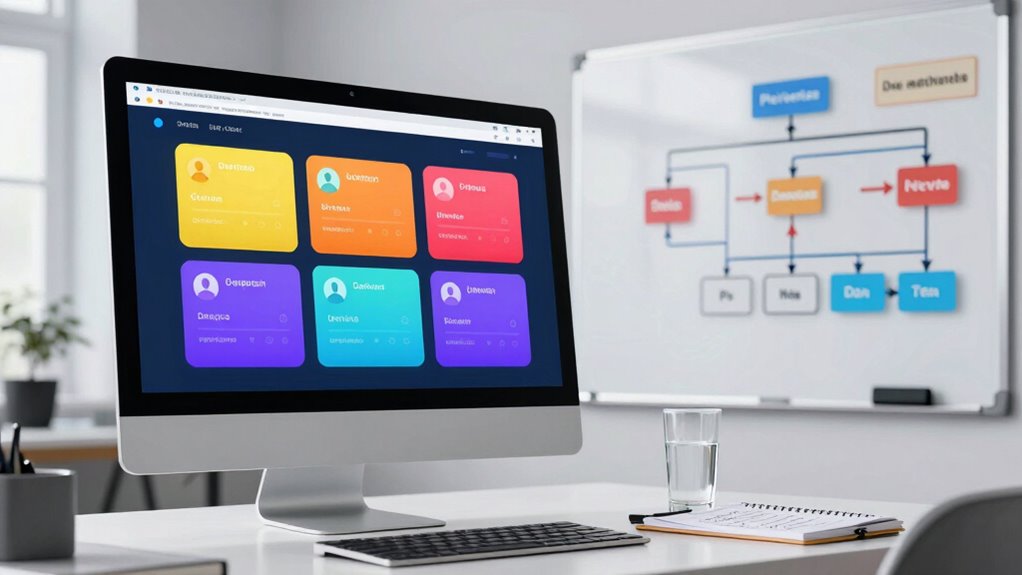
When managing sensitive information in a data room, setting the right permissions is fundamental to protect your assets and guarantee smooth collaboration. Properly configured permissions ensure that only authorized individuals access the right documents, reducing the risk of leaks or unauthorized disclosures. To achieve this, you need to focus on implementing robust user authentication processes and establishing clear access rules. User authentication verifies each person’s identity before granting access, whether through passwords, two-factor authentication, or biometric verification. This step is critical because it establishes a strong foundation for security, making sure that only verified users can enter the data room.
Once users are authenticated, you can control what they see and do by setting specific access levels. For example, some team members might require full editing rights, while others only need view-only privileges. This granular control helps prevent accidental or intentional data mishandling. Regularly reviewing and updating permissions is essential, especially when team members change roles or leave the project. It prevents lingering access that could compromise sensitive information. Automated permission settings can help streamline this process, ensuring that the right people always have appropriate access.
Another key element of better data room permissions is maintaining an access audit trail. An access audit logs every action taken within the data room—who accessed what, when, and what they did. This record provides transparency and accountability, allowing you to track any unusual activity or unauthorized attempts to view confidential documents. If a security breach occurs, these logs are invaluable for investigating what happened and identifying vulnerabilities. Incorporating access audits into your permission strategy helps you stay compliant with regulatory standards and internal policies, reinforcing your security posture. Additionally, regularly monitoring access activity can help identify potential threats early on and prevent security issues before they escalate. Implementing access controls further enhances your security framework by limiting what users can do based on their roles and responsibilities. Additionally, understanding and managing security policies is crucial for maintaining a comprehensive security environment.
Furthermore, you should establish clear policies on sharing information and permissions. Make sure everyone understands their responsibilities and the importance of data security. Educate users on how to handle sensitive files and emphasize the importance of following authentication protocols. Regular training on content security best practices and adherence to these policies can significantly reduce human error. When combined with strong user authentication, disciplined access management, and regular audits, these policies create a secure environment for your data.
two-factor authentication hardware token
As an affiliate, we earn on qualifying purchases.
As an affiliate, we earn on qualifying purchases.
Frequently Asked Questions
How Often Should Data Room Permissions Be Reviewed and Updated?
You should review your data room permissions regularly, ideally every three to six months, to maintain strong data security and effective access control. Frequent reviews help you identify outdated permissions, prevent unauthorized access, and adapt to changing team roles or project needs. Keeping permissions up-to-date guarantees sensitive information stays protected and that only authorized users have access, minimizing risks and maintaining control over your data room environment.
Can Permissions Be Customized for Different Document Types?
Yes, permissions can be tailored for different document types through access customization. You should classify your documents based on their sensitivity and importance, then set specific permissions accordingly. For example, confidential files might require restricted access, while public documents can be more widely available. This approach guarantees you control who views or edits each document, aligning permissions with your document classification and maintaining a secure, organized data room environment.
How to Handle Permissions for External or Temporary Users?
You should implement external user management and temporary access controls to handle permissions for outside or temporary users effectively. Set specific permissions that limit their access only to necessary documents, and specify an expiration date for their access. Regularly review these permissions to prevent unauthorized data exposure. By actively managing external and temporary user permissions, you guarantee your data remains secure while allowing flexible collaboration.
What Are Best Practices for Auditing Permission Changes?
Like a savvy detective in a noir film, you should regularly audit permission changes to guarantee proper access control and uphold user accountability. Track every modification, noting who made the change and when, using audit logs or version histories. Periodically review these logs to spot irregularities or unauthorized adjustments. Implement automated alerts for suspicious activity, and document all audits to maintain a clear record, keeping your data room secure and compliant.
How to Prevent Unauthorized Access From Internal Users?
To prevent unauthorized access from internal users, you should monitor user behavior closely and enforce strict permissions based on roles. Regularly review access logs to identify any suspicious activity or anomalies. Implement multi-factor authentication and least privilege principles, ensuring users only access what they need. Educate users on security policies, and set up alerts for unusual access patterns. These steps help you maintain control and quickly respond to potential threats.
As an affiliate, we earn on qualifying purchases.
Conclusion
By fine-tuning your data room permissions, you’re not just opening doors—you’re building a fortress of trust and security. Think of your access rules as the guardrails that keep your sensitive information safe while guiding authorized users smoothly through the process. Stay vigilant, review permissions regularly, and adapt as needed. With these strategies, you’ll steer your data room like a seasoned captain, ensuring privacy and efficiency sail hand in hand through every transaction.
data room access control software
As an affiliate, we earn on qualifying purchases.
As an affiliate, we earn on qualifying purchases.
audit trail software for data security
As an affiliate, we earn on qualifying purchases.
As an affiliate, we earn on qualifying purchases.
Fall Picks
fall essentials
As an affiliate, we earn on qualifying purchases.